As a professional photographer who has been selling photos online for over fifteen years, I get asked about this a lot. How do you actually make money from your photography? Where do you sell? What works and what doesn’t?
I’ve tried a lot of different approaches over the years, from building my own portfolio store to listing on marketplaces, and I’ve helped thousands of students on my photography course do the same. So I have a pretty good idea of what actually works in practice.
In this guide, I’m going to walk you through the main ways to sell your photos online, the platforms I recommend (and a few I don’t), what to look for when choosing where to sell, and some practical tips to help you actually make sales once you’re set up.
I’ll also be upfront about something: selling photos online is not a get-rich-quick scheme. It takes time, effort, and a willingness to experiment. But if you approach it with the right expectations and choose the right platform for your situation, it can be a solid income stream.

Table of Contents:
Three Ways to Sell Your Photos Online
Before getting into specific platforms, it helps to understand that there are three main paths for selling photos online. Each has different trade-offs, and many photographers end up using a combination of two or even all three. Selling is also the hardest thing you can do with your photos, and not everyone needs to bother with it. I have a broader guide covering where selling fits in the wider workflow, from backing up through to printing.
Path 1: Stock Photography
With stock photography, you upload your images to large marketplaces like Adobe Stock, Shutterstock, or Alamy. Buyers purchase licenses to use your photos in their projects, whether that’s a website, advertisement, or publication. You earn a royalty on each sale.
The appeal of stock is that it’s passive income. Once your images are uploaded and properly keyworded, they can sell for years without any additional work from you. The downside is that per-image earnings are low (often less than a dollar per download on microstock sites), so you need hundreds or thousands of images to generate meaningful income. You also have no control over pricing, and the market is extremely competitive.
Stock photography can work well for photographers who shoot a lot of commercially useful content: lifestyle photos, business settings, food, and technology images. Travel photography is a harder sell on stock sites because the market is flooded with landscape and landmark shots. Standing out is one of the unique challenges of travel photography.
It’s also worth noting that AI-generated imagery is changing the stock photography market. Generic, easily replicable images are losing value because AI tools can produce similar results. Authentic, hard-to-replicate images from real locations and situations are holding their value better, so if you do go the stock route, lean into what makes your work unique.
I won’t be covering stock sites in detail in this guide, but the main ones to look at if you’re interested are Adobe Stock (33% royalty), Shutterstock (15-40% tiered royalty), Alamy (40-50% royalty), Getty Images (20-25% royalty, but very selective about who they accept), 500px (up to 60% exclusive), and Stocksy (50-75% royalty, co-op model, very hard to get accepted).
Path 2: Print-on-Demand Marketplaces
With print-on-demand (POD), you upload your photos to a marketplace that handles printing, shipping, and customer service. When someone buys a product with your image on it, whether that’s a framed print, canvas, mug, phone case, or t-shirt, the marketplace produces and ships it. You set a markup above the base production cost and keep the difference.
The advantage here is zero inventory and zero fulfilment headaches. The disadvantage is that you’re competing with thousands of other artists on these marketplaces, and you don’t own the customer relationship. I’ll cover the main POD options below, including Redbubble and Fine Art America.
Path 3: Your Own Portfolio Store
This is the approach I use and recommend for most photographers who are serious about selling their work. You set up your own website with a photography-focused platform like SmugMug, Zenfolio, or Pixpa, upload your best images, and sell directly to buyers.
You control the pricing, the presentation, the customer experience, and the branding. Many of these platforms also handle printing and shipping through partner labs, so you get the convenience of print-on-demand with the control of your own store.
The trade-off is that you need to drive your own traffic. Nobody is going to stumble across your SmugMug portfolio the way they might find your work on Etsy or Redbubble. But that’s also the point: the people who do find your store are there specifically because they want your work.
This guide focuses mainly on Path 3, because it’s the best option for most photographers in my experience. But I’ll cover some marketplace and POD options too, because they can work well alongside your own store.
What to Look for in a Photography Sales Platform
If you want to sell your photos online, you’re going to need a website where visitors can see and buy your work. There are a lot of different options out there, and they vary hugely in features, pricing, and what they handle for you.
Before I get into specific platform recommendations, here are the key things to evaluate. You can then decide which features matter most for your situation.
Printing and Fulfilment
If you’re planning to sell physical prints, one of the biggest decisions you’ll make is whether you want a platform that handles printing and shipping for you, or whether you’d prefer to do it yourself.
If you choose an option that doesn’t offer printing, you’ll need to handle it. This will require you to either invest in a high-end photo printer or find a local print lab. With either of these options, you’re going to have to manage shipping, customer service, and refunds. That’s a lot of work.
My recommendation is to pick a service that handles everything. You upload your images, a customer places an order, the platform sends it to a print lab, and the lab prints and ships it. All you have to do is take great photos and get people to visit your store.
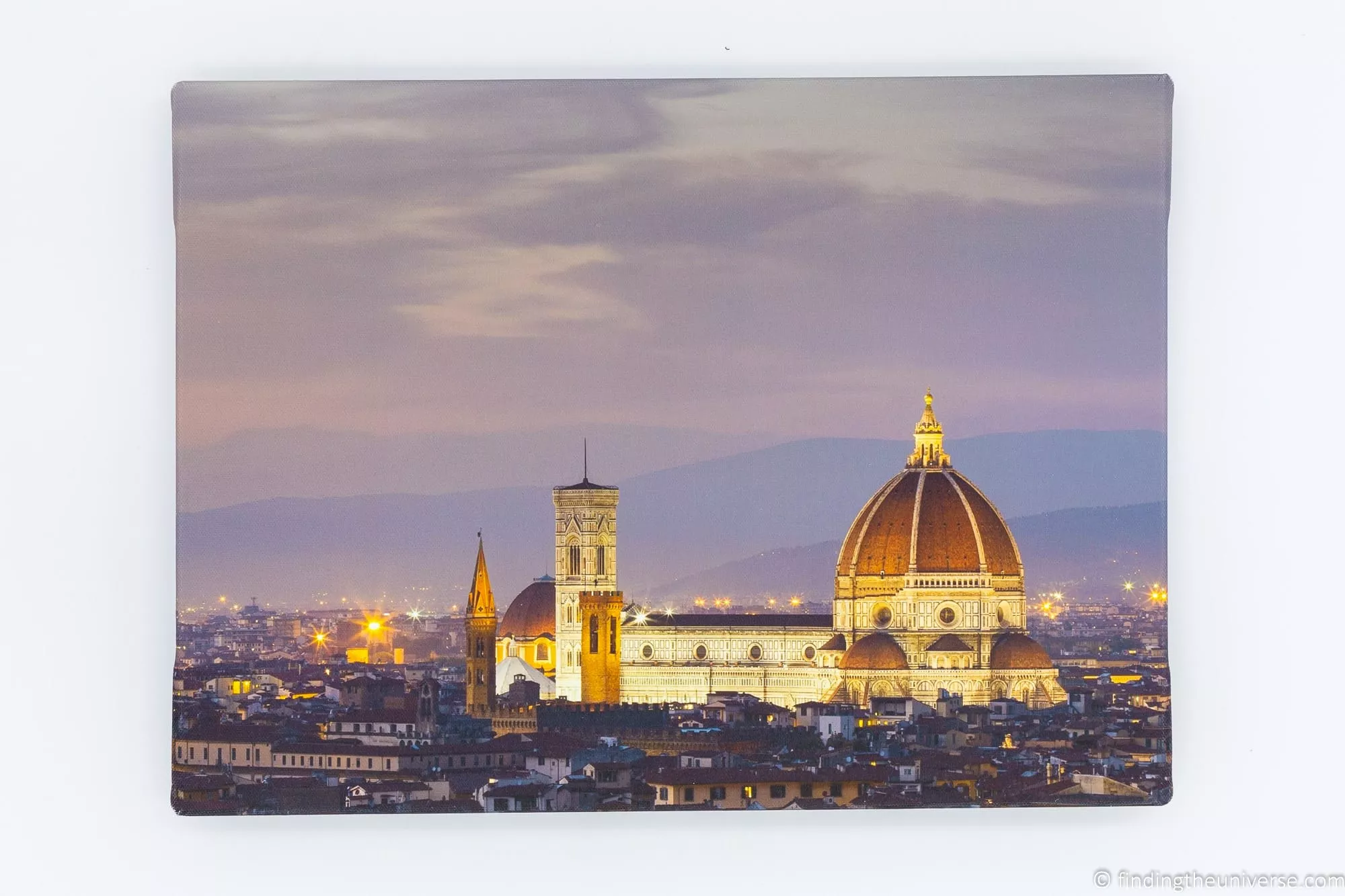
If you go this route, pay attention to the range of products the platform offers. Standard photo prints and canvas prints are the minimum. Better platforms also offer metal prints, framed options, greeting cards, photo books, and more.
You’ll also want to know where the platform’s print labs are located. A platform with labs in multiple countries means lower shipping costs and faster delivery for international buyers.
I’d always recommend ordering some test prints from your chosen platform before going live. The quality of the prints reflects on you and your brand, so you want to be confident that the colours are accurate and the print quality is high. For more on getting your colours right, check out my guide to monitor calibration.
Digital Downloads
As well as selling physical prints, another option is to sell digital versions of your images. Buyers can download high-resolution files, which they might print out themselves locally or use as desktop wallpaper.
This is particularly useful for international buyers who want to avoid shipping costs and import fees. Instead of paying to have a print shipped across the world, they can take your digital file to a local print shop.
If you decide to sell digital downloads, my main advice is not to price them too low. You’re still selling your images, which are unique to you, and you should be paid accordingly.
You should also check the licensing options available on whatever platform you choose. Some services let you specify whether the sale is for personal or commercial use, with different pricing for each. Commercial use should carry a significant price premium. When the buyer purchases the digital image, they agree to a license that sets out what they can and can’t do with it.
Product Range
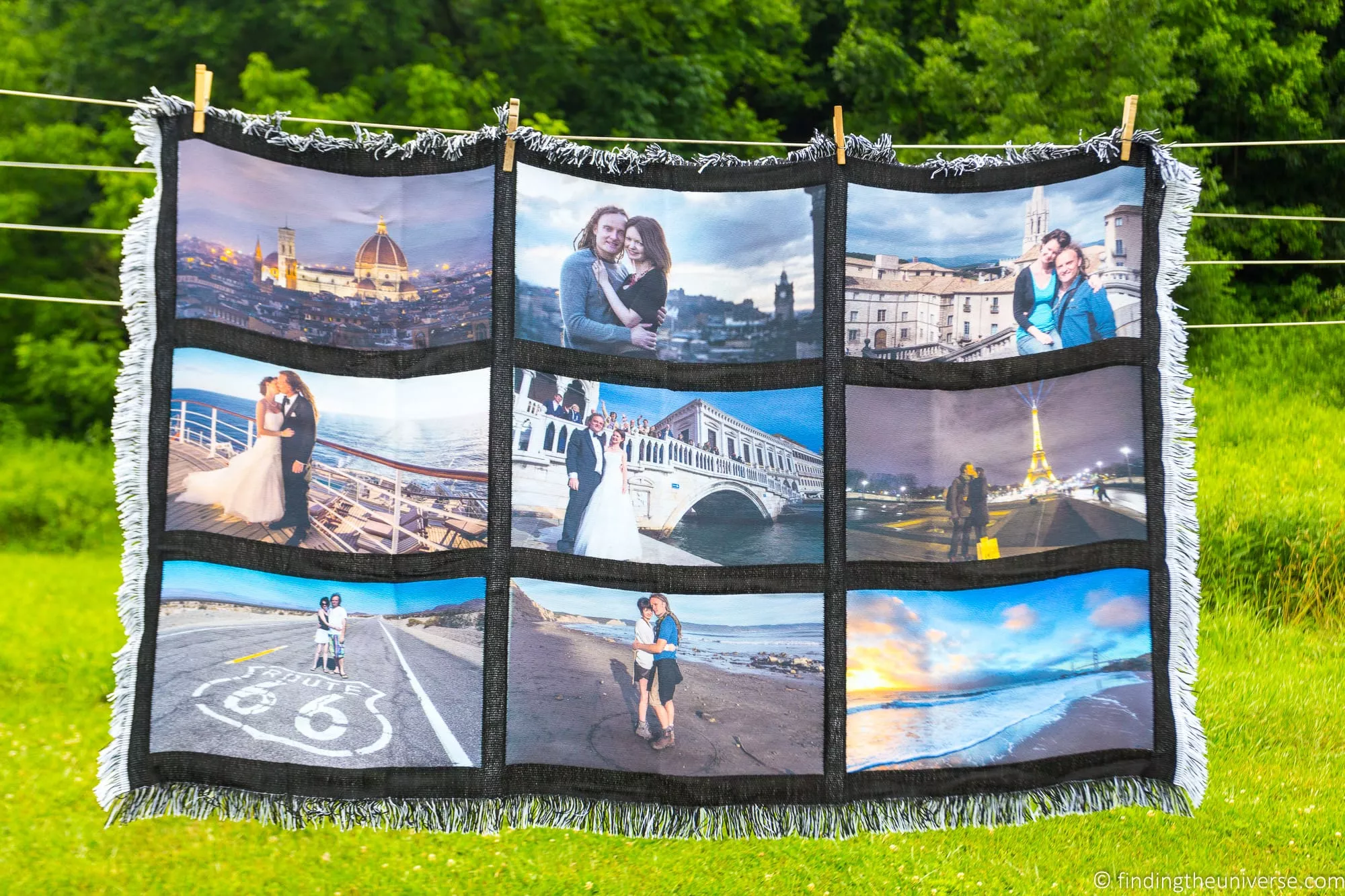
When you think of selling your photos, you’ll probably think of prints and canvases first. But these days you can print a photo on just about everything: greeting cards, photo books, t-shirts, mugs, blankets, coasters, phone cases, fabrics, even shower curtains.
If you want to offer products beyond the standard print formats, check what your chosen platform supports. Photography-focused platforms like SmugMug and Zenfolio tend to stick to prints, canvases, framed options, books, and cards. Marketplace platforms like Redbubble offer a much wider range of products, including clothing, accessories, and home decor.
As with prints, quality matters for all of these. Test or sample any product you plan to sell before making it available to buyers. The quality of both the item itself and the printing on it reflects on you.
Payments and E-commerce
If you’re selling a product, you need a way to accept payments. There are a lot of options, including payment processors like Stripe and PayPal.
If you sign up to a platform that handles printing and shipping, they’ll typically have their own payment system built in. Check whether any processing fees are included in your plan or deducted separately from your sales.
Going with a platform that has payments integrated is much easier because you don’t need to worry about handling customer payment information yourself. But if you take a more DIY approach, Stripe and PayPal are both solid options. Just factor their processing fees (typically around 2.9% + a small fixed fee) into your pricing.
You’ll also want to check what international capabilities the payment system has, especially if you have an audience in multiple countries. Can it handle different currencies? Different credit card types?
Pricing Control
This is something I feel strongly about. You should have control over what you charge for your work.
If you’re selling through a platform that handles printing and shipping, they’ll have a base cost for each product type. This covers the printing, shipping, and any taxes or fees. Then you need to add your profit on top.
The best platforms let you set a markup percentage or a fixed profit amount for each product. Some let you set different prices for different products, different galleries, or even individual images.
A percentage-based markup tends to work well because it scales naturally across products. If a small 6×4″ (15x10cm) print costs $1 to produce and you set a 200% markup, you sell it for $3. If a large 60×40″ (150x100cm) canvas costs $100, you sell it for $300. The math works across all product sizes without you having to set individual prices for everything.
Some platforms only let you set a fixed price or a single profit amount across all products, which is limiting. Ideally you want the flexibility to price different products and galleries independently. This takes a bit more time to set up, but gives you much better control.
Avoid platforms where you can’t control the pricing at all. Your work is worth what you decide it’s worth, and you need the flexibility to adjust prices as you learn what your audience is willing to pay.
Shipping and International Sales
Whether you fulfil orders yourself or use a platform that handles it, you need to think about where in the world you want to sell.
Selling internationally opens up a larger audience, but it comes with complications: international shipping costs, customs duties, multiple currencies, and different tax requirements. If you’re fulfilling orders yourself, overseas shipping can be expensive and slow, and some buyers will have to pay import fees on top of your prices.
An easier option, in my opinion, is to use a platform with print labs in multiple countries. This way, products are produced as close to the buyer as possible, which reduces shipping costs, speeds up delivery, and avoids most import duty issues.
If most of your audience is in the same country as you, this is less of a concern. But if you have an international following (which many photographers do, especially if you have a blog or social media presence), international fulfilment matters.
Tax Handling
Nobody loves dealing with tax, but it’s a reality of running any business that sells products.
Tax rules vary around the world. In the US, you may need to charge sales tax depending on your state. In Europe, there’s VAT. Other countries have their own requirements. And if you’re selling internationally, it gets complicated fast.
This is one of the strongest arguments for using a platform that handles tax on your behalf. Most of the major photography sales platforms deal with tax calculations and collection, so you don’t have to figure out the rules for every country you sell to.
If you’re going the DIY route, get advice from a good accountant who understands the tax implications of selling products online in your jurisdiction.
Custom Domain
When you set up a photography sales website, ideally you want the option to use your own domain name, like yourname.com rather than yourname.platformname.com.
Not all platforms support this. If you sell through a marketplace like Redbubble, visitors will always see the Redbubble domain. With platforms like SmugMug, you can choose between a subdomain (yourname.smugmug.com) or your own custom domain.
Having a custom domain gives your site a more professional feel and makes it easier for people to find you again. It’s not a dealbreaker, but it does matter if you’re building a photography brand.
Marketing and Discovery
Setting up your store is only half the battle. You also need people to find it.
Some platforms help with this. Marketplace sites like Redbubble and Etsy have millions of visitors, so your work has the potential to be discovered by buyers who are already browsing for art and photography. But you’re also competing with thousands of other sellers for those eyeballs.
With your own portfolio site on a platform like SmugMug or Pixpa, you’re responsible for driving all the traffic yourself. That means marketing through social media, your blog, an email newsletter, business cards, word of mouth, and so on.
Being on a marketplace can help you get discovered. Having your own site gives you more control. The ideal setup, in my experience, is to have both: your own portfolio store as your primary sales channel, supplemented by a presence on one or two marketplaces.
Image Storage and Upload Limits
Image files are large, especially high-resolution files suitable for printing. When choosing a platform, check what storage limits or upload caps they impose.
Some platforms offer unlimited storage (SmugMug, for example), while others limit you to a specific number of images or a total storage amount.
For most photographers, this isn’t a major concern. You want to be sharing only your best and most commercially appealing images, not your entire catalogue. A portfolio of 100 to 300 carefully curated images is a better starting point than thousands of photos that dilute the quality of your store.
As a rough guide, each full-resolution image will be around 10-20MB, so 300 images would need about 3-6GB of storage.
Image Protection
People sometimes ask me if I worry about my photos being stolen when I put them online. The short answer is: not really.
There are a few things I do to protect my commercial interests. First, I put a small watermark on my images. It’s not difficult to remove, but it’s an easy way for people to find out who took a photo if they see it shared online, and to contact me if they’re interested.
Second, I never upload full-resolution versions of my images to websites or social media. I upload sizes that look good on screen but wouldn’t be large enough for quality printing at anything more than a few inches across.
When choosing a photography sales platform, my suggestion is to pick one that stores your full-resolution files for printing but only displays smaller versions to visitors. This is how most good platforms work. Some also offer automatic watermarking and right-click protection, which can stop casual downloading. A determined person will always find a way around these protections, but they deter casual theft.
Gallery Privacy and Password Protection
Sometimes you’ll have images or galleries that you don’t want everyone to see. If you’re a wedding photographer, for example, you’d only want specific members of the wedding party to access and buy from their wedding gallery.
The easiest way to handle this is with password-protected galleries. Most photography-focused platforms support this. Marketplace platforms like Redbubble and Etsy generally don’t.
If client work and private galleries are important to your business, make sure the platform you choose supports them.
Coupons and Promotions
From time to time, you might want to run a sale, offer a discount to your newsletter subscribers, or give friends and family a special price.
A coupon system lets you do this without changing your store prices. You create a code (like “SUMMER20” for 20% off), share it with whoever you want, and the discount is applied at checkout.
If a platform offers coupons, check the details: can you set expiry dates? Limit usage per customer? Restrict coupons to certain products? These details matter if you want to run targeted promotions.
Workflow Integration
My editing workflow revolves around Adobe Lightroom, and I definitely appreciate platforms that integrate with it.
Some platforms, like SmugMug and Zenfolio, have Lightroom plugins that let you upload images directly from your library. Edit a photo, click upload, and it goes straight to your gallery. If you later re-edit the image, you can upload the updated version just as easily. Some platforms also support Capture One and ON1 Photo RAW.
If you’re only uploading a small number of images, this might not matter much. But if you’re managing hundreds of images across multiple galleries, a good plugin saves a lot of time compared to manually exporting and uploading through a web browser.
I’ve listed links to example portfolios for each platform I recommend below. Many of these are from students on my photography course. I’d suggest clicking through to the ones that interest you and asking yourself: how easy is it to browse? How easy would it be to buy something? That will give you a good sense of the user experience.
Fees and Pricing Models
Every platform has costs, but they structure them differently. The main models are:
A monthly or annual subscription fee, sometimes with a per-sale commission on top. This is what platforms like SmugMug and Zenfolio use. If you’re making regular sales, the subscription model works out better because you know your costs upfront.
No subscription fee, but a higher per-sale commission. This is what Darkroom’s free tier and Redbubble use. Lower risk if you’re just starting out, but it eats into your margins once you start selling regularly.
When comparing platforms, don’t just look at the headline subscription price. Look at the total cost per sale, including the product base cost, the commission, and any payment processing fees. A platform that charges $20/month but takes no commission might be cheaper overall than a “free” platform that takes 22% of every sale.
For example, a company might claim not to charge any fees, but the base cost of their photo print might be $20. Another company might charge a 10% fee on sales, but their base print cost is only $10. You’d make more profit on the second platform despite the fee.
Your time is part of the equation too. If a cheaper platform requires you to handle printing and shipping yourself, factor in how many hours per order that takes and what your time is worth. If you’re spending an hour per order on a DIY setup, that’s an hour you could be spending on photography or marketing.
Where to Sell Your Photos Online
Now for the specific platforms. I’ll go through each one with an overview of features, current pricing, and who it’s best suited for.
Where I can, I’ve included feedback from members of my online travel photography course, along with links to their portfolios so you can see these platforms in action.
SmugMug
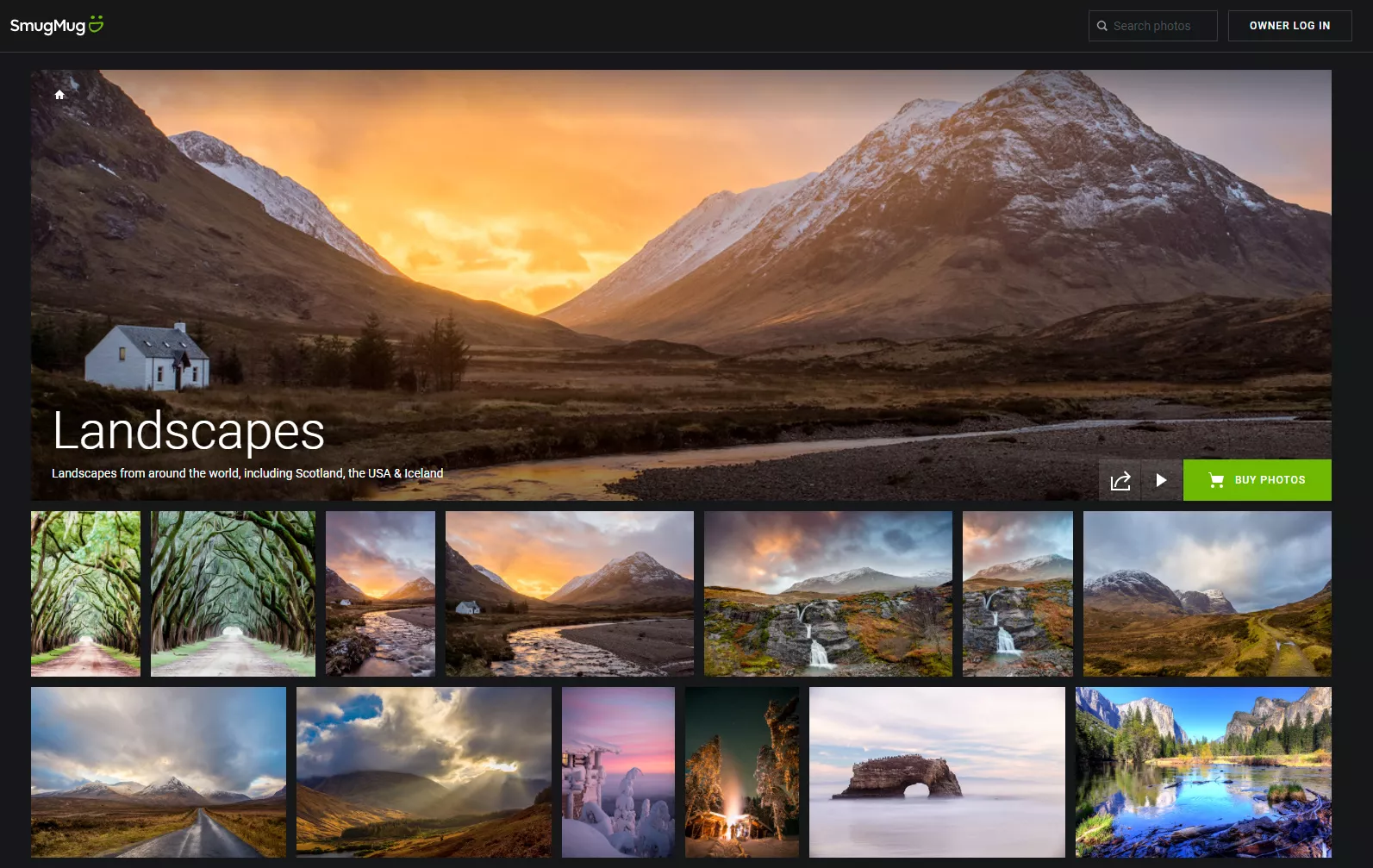
SmugMug is what I use for my own online photography sales, and it’s probably the most well-known platform for photographers looking to sell their work.
SmugMug currently offers three plans: Direct, Portfolio, and Pro. On annual billing, these come to around $20/month, $23.50/month, and $37/month respectively. Monthly billing is more expensive. SmugMug does adjust their pricing from time to time, so I’d recommend checking their plans page for the latest prices. You can get 15% off the plan cost and a 14-day free trial if you use this link.
For photographers who want to sell prints, you’ll want at least the Portfolio plan, which includes full e-commerce support, order fulfilment through partner print labs around the world, custom domain support, and a wide range of website templates.
SmugMug also charges a 15% commission on every sale you make, which is on top of the subscription fee. That does make it one of the more expensive options in this list. But the feature set is hard to beat.
The product range is excellent: standard prints, canvas prints, framed prints, metal prints, greeting cards, photo books, mugs, and more. You can set prices by product with either a fixed markup or a percentage. There’s a full shopping cart that supports multiple currencies, and products are fulfilled through print labs around the world.
SmugMug also doubles as a photo backup service with unlimited storage for processed image files (RAW file storage costs extra). There’s a Lightroom plugin for direct uploads, integration with Capture One and ON1 Photo RAW, and a mobile app for managing your galleries on the go.
Image protection is solid: watermarking, right-click prevention, and only low-resolution versions displayed to visitors. You can password-protect galleries for client work, and there’s a built-in coupon system for promotions.
One thing I’m not wild about, beyond the 15% commission, is that the website builder can feel a bit overwhelming at first. There are so many customisation options that it takes time to get everything set up. But once you’ve got it configured, it works well.
Several members of my travel photography course use SmugMug. Here’s what some of them had to say.
Charlotte Tweed (see her SmugMug portfolio here) said:
“My experience with the platform has been good. Quick response to tech questions and good tutorials. The website templates are professional looking that are relatively easy to customize. The products are also excellent quality. I can load pictures directly from my phone, which is useful.”
Course member Rae Gabrielle (see her portfolio here) compared SmugMug against some other platforms:
“I have the Portfolio plan with SmugMug. It took me a little while to pull the trigger given the price, but I saw it as an investment in my photography just like buying new gear. I really like the flexibility of organizing photos and setting prices. I also do some portrait and event work, so I like that with the Portfolio plan, I can create private galleries for my clients. It allows me to still keep the photos in one place, but I can set each private gallery so that it can only be accessed by people with the password or the direct link. That way, my clients can also share their gallery with their friends and family, who might also choose to buy from it. I think the biggest negative for me is that there are so many features and it is so flexible, sometimes the options are overwhelming, and I have trouble navigating them to get everything set up the way I want it. So not really a negative?
I’ve also tried Etsy and the free version of Fine Art America. Truthfully I’ve sold more on those platforms, but Etsy wasn’t a great fit because when someone placed an order, I would still have to order the print myself to be mailed to them. Plus listings expire and you have to re-list every 90 days, I think. Fine Art America was fine, but they took a pretty big cut, and I could only upload 25 photos. In the end I’m fine with paying for SmugMug, if for nothing else than the photo storage.”
Overall, SmugMug is a very full-featured platform for managing your portfolio and selling your work. It’s more expensive than some other options, but the quality and feature set justify that in my opinion. For more detail, check out my full SmugMug review.
Pricing: From around $20/month on annual billing (Direct plan) + 15% commission on sales. 15% off with this link.
Best for: Serious amateurs and professionals who want a full-featured portfolio and sales platform.
Trial: 14-day free trial available via this link.
Example portfolios: My photo portfolio. Also check out Charlotte Tweed here and Rae Gabrielle here.
Zenfolio
Zenfolio is a strong alternative to SmugMug, and it’s particularly good for event and portrait photographers because of its client gallery and proofing features.
Zenfolio was acquired by Format in recent years (more on Format below), but continues to operate as a separate platform. They currently offer three plans: Basic at $9/month, Professional at $23/month, and Advanced at $40/month. Annual billing brings these down to around $7/month, $11.50/month, and $20/month respectively.
For selling prints, you’ll need either the Professional or Advanced plan, as the Basic plan doesn’t include any shopping cart functionality. Both e-commerce plans charge a 7% service fee on all sales, which is significantly lower than SmugMug’s 15%.
All the plans offer a good amount of photo storage including RAW file support, as well as video storage, making Zenfolio a decent option for backing up your images too.
Zenfolio supports over 2,000 products through their lab partners, with printing facilities around the world. You can set your own prices, use your own domain name, remove all Zenfolio branding (on paid plans), and customise the look of your site. There are tools for sharing proofs with clients, watermarking images, and offering coupons and gift certificates.
You can password-protect galleries so only clients with the password can access them, and there’s a blog feature so you can write blog posts alongside your portfolio. Plugins are available for Lightroom and Photo Mechanic, and there are mobile apps for uploading and managing images.
Zenfolio also offers an optional paid add-on called BookMe, which is a booking and calendaring system. If you offer portrait sessions, weddings, or other paid photography services, it lets clients book and pay through your site.
Overall, Zenfolio has a robust feature set at a good price. The 7% commission is much more reasonable than SmugMug’s 15%, though I find SmugMug’s website builder and template selection slightly more polished.
Pricing: Professional plan at around $23/month ($11.50/month on annual billing) + 7% service fee on sales.
Best for: Event and portrait photographers who need client galleries and proofing, or anyone who wants SmugMug-like features at a lower total cost.
Trial: Free trial available via this link.
Example portfolio: My photography course member Steve Tambosso has his portfolio on Zenfolio here.
Pixpa
Pixpa is an interesting option because it combines a portfolio platform, blogging platform, and e-commerce store all in one place.
So if you want to host your online portfolio, sell your images to clients, and also sell additional products like downloadable e-books, Lightroom presets, or workshop access, Pixpa can handle all of that from a single platform.
Pixpa currently offers four plans: Basic at $9/month, Creator at $15/month, Professional at $20/month, and Advanced at $25/month. Annual billing brings these down to around $5.40/month, $9/month, $12/month, and $15/month respectively. There’s also a two-year billing option that’s slightly cheaper again.
The big advantage with Pixpa is that they don’t charge any commission on your sales. You just pay the subscription fee and that’s it. You can set your own prices, shipping costs, and tax for each product.
For printing and fulfilment, Pixpa integrates with WHCC (a print lab that ships worldwide) and supports a range of products from standard prints and canvas to items like USB drives and magnets. Alternatively, you can connect Pixpa to any print lab that accepts email orders. Pixpa will automatically generate the email for you, giving you a lot of flexibility over your printing choices. Or you can fulfil orders yourself if you prefer.
Pixpa comes with a wide range of themes and integrates with Stripe and PayPal for payments, meaning you can accept payment in a wide variety of currencies. All paid plans support custom domains.
Save 10% on Pixpa when you use this link or the code FTU10 at checkout.
Pricing: From $9/month ($5.40/month on annual billing). No commission on sales. 10% off with this link or code FTU10.
Best for: Photographers who want a portfolio, blog, and store in one place, or who sell non-print products alongside their photos.
Trial: 15-day free trial via this link.
Example portfolio: See Harold Feng’s portfolio here.
Darkroom
Darkroom is a good entry point if you’re just starting out and aren’t ready to commit to ongoing subscription fees.
They offer two pricing models. The free tier lets you set up galleries and sell prints with no upfront cost, but Darkroom takes a 15% commission on every sale. The Plus plan costs $15/month and reduces the commission to 5%.
With the free plan, you’re limited to 100 image uploads, three themes to choose from, and the site is Darkroom-branded with limited customisation. The Plus plan bumps this to 250 uploads with more customisation options and the ability to add your own logo, though you still can’t use your own domain name on either plan.
Both tiers offer worldwide fulfilment from a number of print labs. The product range is more limited than other platforms: prints, framed prints, and canvases are available, but there aren’t other product types like mugs or t-shirts.
There are some notable features that are absent. There’s no Lightroom plugin (you have to upload images manually through the website), no option to password-protect galleries, no automatic watermarking, and no mobile app.
What Darkroom does well is keep things simple. If you want to test the waters of online photography sales without spending any money upfront, the free tier is a reasonable way to do that. The platform handles printing, shipping, and e-commerce, and you just focus on the photography.
If you’re more established and need advanced features, Darkroom will probably feel too limited, especially with the 250-image cap on the paid plan.
I spoke with my photography course member Karlin Krishnaswami, who uses Darkroom for her portfolio:
“I wish Darkroom was more customizable, but I appreciate the simplicity of it. Sometimes it takes a minute or two for changes to actually appear to the site, which irks the part of me who needs instant gratification. Overall, it’s not my favorite platform, but it’s what I’ve settled on for now.”
Pricing: Free + 15% commission, or $15/month + 5% commission.
Best for: Beginners who want to try selling prints with no upfront cost.
Trial: The free tier can be used indefinitely.
Example portfolio: Karlin Krishnaswami has her portfolio on Darkroom here.
Format
Format offers purpose-built photography portfolio sites where you can display and sell your work. They also let you sell other photography-related items like Lightroom presets, and they offer printing and shipping services for your products.
Format now owns Zenfolio, though both platforms continue to operate separately. Format is more portfolio-focused with clean, modern designs, while Zenfolio is geared more towards client galleries and event photography.
Format has a wide range of themes to choose from and several pricing tiers. The key thing to know is that for selling, you’ll want a plan that includes e-commerce capabilities and enough product listings for your needs. The basic plan doesn’t include e-commerce, and the mid-tier plan limits you to a small number of products. For serious selling, you’ll need their higher-tier plan.
There are no additional transaction fees on any plan, and you control pricing and shipping rates for all products. All paid plans (beyond basic) include a free custom domain for the first year. The platform integrates with Lightroom and Capture One, and there are free mobile apps.
Check their current pricing on their pricing page, as it has changed several times in recent years.
Pricing: Varies by plan. No commission on sales. See current pricing here.
Best for: Photographers who want a clean, modern portfolio website with e-commerce built in.
Trial: Free trial available on their website.
Pixieset
Pixieset has become very popular with wedding and event photographers, and for good reason. It combines client galleries, a print store with auto-fulfilment through partner labs, a website builder, and a studio management tool all in one platform.
They offer a free plan with 3GB of storage and basic features, though print sales on the free plan carry a 15% commission. Paid plans start at $10/month for the Basic tier and go up through Plus ($20/month), Pro ($30/month), and Ultimate ($50/month), with annual billing discounts available. All paid plans have 0% commission on sales, which is a big advantage over SmugMug’s 15%.
The print store is fully automated. You set your markup, a client orders a print, and the partner lab handles production and shipping. The product range includes standard prints, canvases, albums, and other photography products.
Where Pixieset really excels is the client gallery experience. Buyers can favourite images, leave comments, and purchase directly from the gallery. If you shoot weddings, events, or portrait sessions, this is particularly well-suited to your workflow.
The main limitation compared to SmugMug or Zenfolio is that there’s no Lightroom plugin, so you’ll need to upload images manually through the web interface. And if you’re purely a landscape or travel photographer with no client work, the event-focused features might not justify the cost compared to other platforms.
Pricing: Free (3GB, 15% commission) or from $10/month (0% commission). Annual discounts available.
Best for: Wedding and event photographers who need polished client galleries with built-in print sales.
Fine Art America
Fine Art America is one of the largest print-on-demand marketplaces for artists and photographers. It’s a different model to the portfolio platforms above: rather than building your own branded website, you get a storefront on fineartamerica.com.
It’s free to join and list your work. You set your own markup above Fine Art America’s base production prices, and you keep 100% of that markup. They handle all printing, framing, and shipping through 16 production facilities worldwide.
The product range is enormous: prints, canvases, framed prints, greeting cards, phone cases, tote bags, shower curtains, duvet covers, apparel, and much more. If you want your photos printed on a particular type of product, Fine Art America probably supports it.
There’s also an optional premium account for $30/year that adds a customisable storefront, website widgets you can embed on your own site, and marketing tools.
The advantage of Fine Art America is the marketplace traffic. Millions of buyers browse the site, which means your work can be discovered by people who would never have found your personal portfolio. The disadvantage is the same as any marketplace: heavy competition, no control over the overall shopping experience, and no custom domain. Your store lives on fineartamerica.com.
Fine Art America also operates as Pixels.com, which is the same platform under a different name.
Pricing: Free to list. You set your markup and keep it. Optional premium account at $30/year.
Best for: Photographers who want exposure to a large buyer marketplace, or who want to sell their work on a wide range of product types without managing fulfilment.
Redbubble
Redbubble is a global print-on-demand marketplace for all kinds of artists, not just photographers. You upload your images, choose which products to offer them on, and set your markup percentage.
The product range is enormous: prints, canvases, hoodies, t-shirts, leggings, phone cases, stickers, mugs, and much more. Redbubble doesn’t charge artists to list work, and there are no transaction fees. They have a base price for each product (covering production, shipping, and their fee), and you set your profit margin on top.
The default markup is 20%, which is quite low for photography. I’d recommend increasing it, especially for traditional print and canvas products. As a comparison, SmugMug defaults to 300%. You want your pricing to reflect the value of your work, not just what the platform suggests.
Because Redbubble is a general marketplace rather than a photography-focused platform, it’s missing most photography-specific features. There’s no portfolio customisation, no password-protected galleries, no Lightroom integration, no custom domain, and no way to integrate your Redbubble store with a separate website.
The advantage is marketplace traffic and the sheer range of products. If you want to sell your landscape photos on phone cases and t-shirts as well as prints, Redbubble makes that easy with almost no setup required. The disadvantage is that you’re competing with millions of other artists and designs.
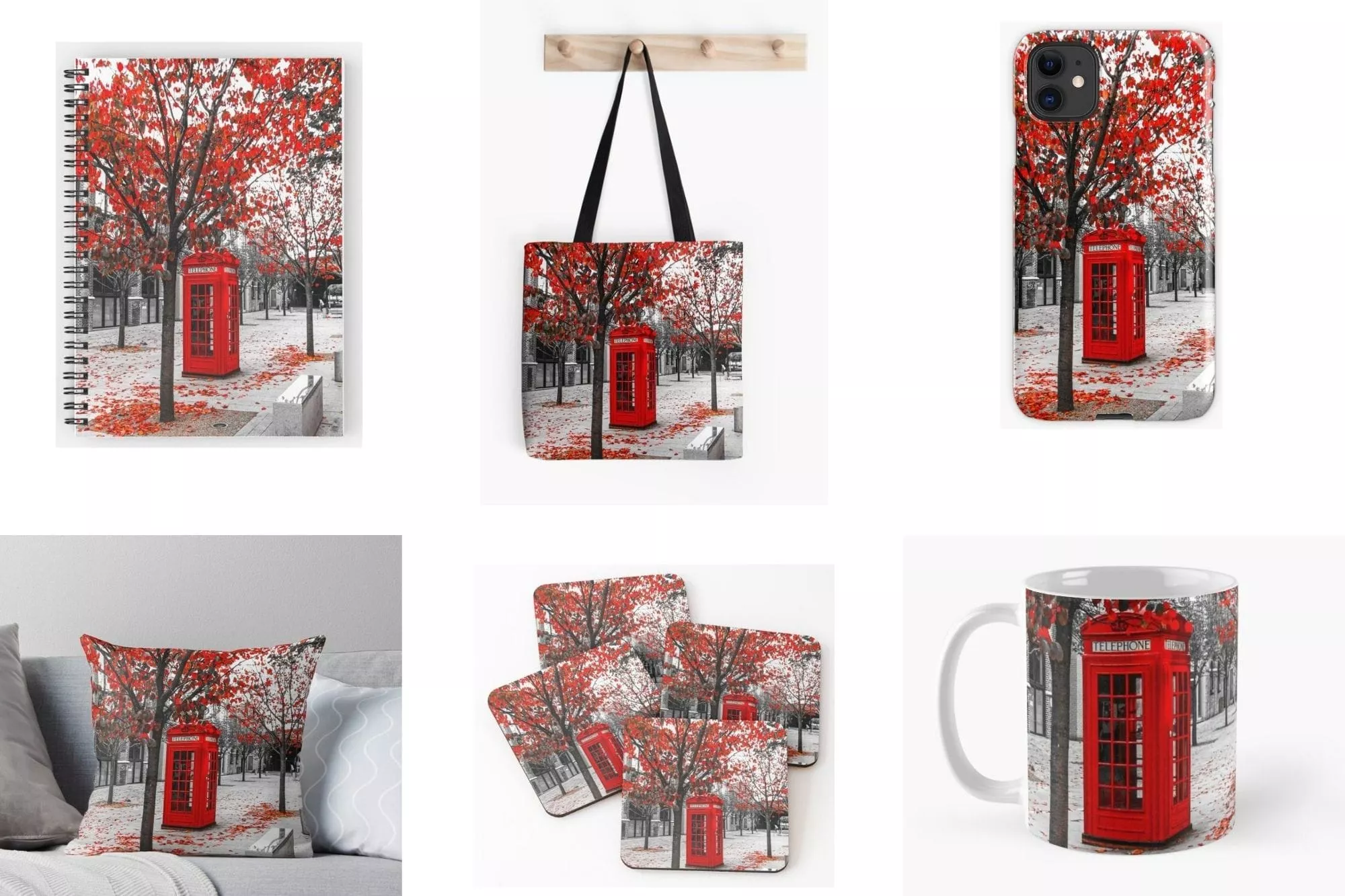
Pricing: Free. Production costs are deducted from sales.
Best for: Photographers who want to sell images on a wide range of products beyond traditional prints, or who want marketplace exposure.
Etsy
Etsy is one of the world’s largest online marketplaces for handmade, vintage, and creative goods. Thousands of photographers use it to sell prints, digital downloads, and photo products.
Unlike the photography-focused platforms, Etsy is just a marketplace for connecting buyers and sellers. You create listings and Etsy handles the e-commerce side, but you’re responsible for everything else: printing, packaging, shipping, and customer service. Alternatively, you can integrate your Etsy shop with a print-on-demand service like Printful, which handles fulfilment automatically when orders come in.
The fee structure is different to other platforms in this guide, and the fees add up quickly. You pay a $0.20 listing fee for every item you list (this renews every four months whether or not the item sells). When you make a sale, there’s a 6.5% transaction fee on the total price including shipping. On top of that, there are payment processing fees of around 3% + $0.25 per transaction in the US.
If your product sells through one of Etsy’s offsite ads (which they run on Google, Facebook, and other platforms), there’s an additional 12-15% advertising fee. Sellers earning over $10,000/year are automatically enrolled in this programme and can’t opt out.
When you add it all up, a typical Etsy sale loses 10-15% to fees before you factor in production and shipping costs. If an offsite ad is involved, it can be over 25%.
The advantage of Etsy is the audience: over 90 million active buyers browse the platform. If you have products you know sell well, Etsy can put them in front of people who would never find your personal website. It’s also a good option if you already have your own fulfilment process in place and are looking for an additional sales channel.
The disadvantage is the competition. Tens of thousands of other photographers are on the platform, and Etsy’s search algorithm can be difficult to crack. You’ll also need to handle fulfilment yourself unless you set up a POD integration. And the listing fees mean this isn’t the best platform for testing products that might not sell.
Etsy works best as a supplement to your own portfolio store, not a replacement for one.
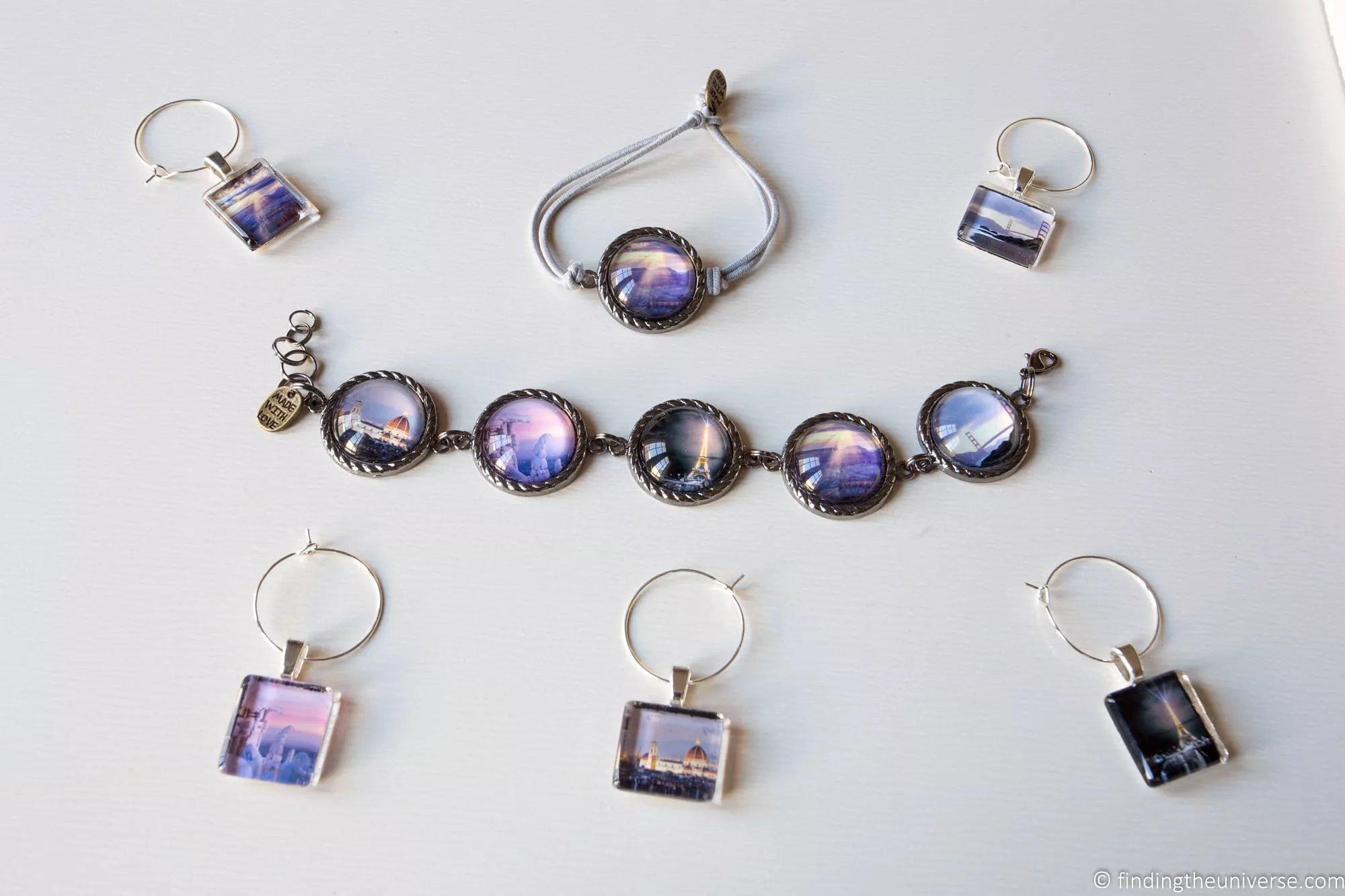
Pricing: $0.20 per listing + 6.5% transaction fee + ~3% + $0.25 payment processing. Possible 12-15% offsite advertising fee.
Best for: Photographers who want to reach a large buyer audience and are willing to handle their own fulfilment, or who use a POD integration.
Fotomoto
Fotomoto is a unique service. Rather than giving you a portfolio, marketplace, or standalone website, it adds e-commerce functionality to your existing site.
You add the Fotomoto script to your website (most major platforms are supported, including WordPress, Blogger, and Squarespace), and it creates a buy button under each photo. When a visitor decides to buy, Fotomoto handles everything: payment processing, printing, and shipping. All you need to do is ensure Fotomoto has a high-resolution version of the image (you can upload it manually or use their Auto-Pickup feature to retrieve it from your cloud storage).
This is an excellent option if you already have a photography blog or website with lots of images on it. You don’t need to set up a separate portfolio or re-upload everything. Just add the code and you can start selling.
Fotomoto offers three tiers: a free plan with a 22% transaction fee, a Pro plan at $120/year + 12% fee, and a Pro Plus plan at $300/year + 10% fee. The product range focuses on traditional print formats: prints, canvases, framed prints, and greeting cards. There are no mugs, t-shirts, or other novelty products.
All plans come with unlimited images and coupon support, and you can set your own pricing for everything. The free plan doesn’t include framed prints or the Auto-Pickup feature.
Pricing: From free + 22% fee.
Best for: Photographers with an existing website who want to add print sales without building a separate store.
Squarespace
Squarespace is a website builder with some of the best-looking templates on the market for photographers. It’s not photography-specific, but the design quality is hard to beat.
The Basic plan starts at $19/month on annual billing ($25 if you pay monthly) and includes everything you need for a portfolio website with e-commerce capabilities. All plans come with a free custom domain for the first year, unlimited storage for your images, support for blogging, and support for unlimited products.
The more expensive plans add features like coupon codes and more powerful commerce tools, but the basic plan works well for most photographers starting out.
The catch with Squarespace is that it doesn’t handle printing or fulfilment. You’d need to manage that yourself, either handling orders manually or integrating with a third-party printing and shipping service. So it’s best suited for photographers who want a beautiful portfolio website and are comfortable handling the fulfilment side.
There are other website builders out there that offer similar functionality, including Wix. If you want more control, you could look at WordPress (which is what this site runs on), though that requires more technical knowledge or a developer.
Pricing: From $19/month on annual billing.
Best for: Photographers who want a beautiful portfolio site and are happy to handle their own fulfilment.
Trial: 14-day free trial via this link.
What Actually Sells (And What Doesn’t)
After years of selling my own work and watching students on my course do the same, I can tell you that some approaches work much better than others. Here’s what I’ve found makes the biggest difference.
Quality over quantity. Don’t upload every photo you’ve ever taken. Curate ruthlessly. A portfolio of 50 great images will outsell a portfolio of 500 mediocre ones. Too much choice actually makes it harder for buyers to decide, and when people can’t decide, they often don’t buy anything at all.
Local and niche work often sells better than generic landscapes. Everyone has photos of the Eiffel Tower. Not many people have great photos of their local covered bridge, a quiet street in a small Italian town, or a specific national park trail at golden hour. Buyers tend to look for images that feel personal or that connect to a place they know and love.
The people who buy your work usually already know you. Most of my print sales come from people who follow my blog, my social media, or who have taken my photography course. Cold traffic from search engines or marketplace browsing does convert, but at a much lower rate. Building an audience around your photography is the single most effective thing you can do to drive sales.
Market your store actively. Having a portfolio site is just the beginning. Share it on social media, mention it in your email newsletter, put the link on your business cards, talk about it at photography meetups, and include it in your email signature. The platforms in this guide give you the infrastructure. Driving visitors is your job.
Fill out your portfolio information completely. Write a good bio so buyers know who you are. Add descriptions, captions, and keywords to your photos. Take full advantage of any SEO options the platform offers so people can find you through search.
Test your pricing. If nothing is selling, try adjusting your prices. If a particular product type isn’t moving, try different products. Be willing to experiment, and don’t be afraid to change things up. Get feedback from friends or fellow photographers on your portfolio: ask them how easy it is to browse, how appealing the products look, and what might stop them from buying.
Pay attention to what sells and do more of that. If your coastal landscapes are outselling your city photography, take note. If greeting cards are your best seller but canvases aren’t, adjust your focus accordingly. The data from your sales will tell you what your audience actually wants.
Sample your products before selling them. Always order test prints and products before making them available to buyers. The quality of what you sell reflects on you, and you want to be confident in every product carrying your name and your images.
Realistic Expectations for Earning from Photo Sales
I want to set expectations here, because a lot of online guides oversell how easy it is to make money from photography.
If you’re just starting out with no existing audience, it’s going to take time before you see meaningful income from selling prints or downloads. Most photographers I know who sell their work online treat it as a supplementary income stream rather than their primary source of revenue. It sits alongside other income like paid photography work, workshops, courses, licensing, and content creation.
Stock photography earnings are typically low per image. The photographers who do well on stock sites usually have thousands of images uploaded and have been building their portfolios over years. It can take months of consistent uploading before you see meaningful returns.
Print sales through your own store are higher-margin but lower-volume. You might sell a few prints a month if you’re actively marketing your work. Some months you’ll sell nothing. That’s normal, especially early on.
The photographers who earn the most from selling photos online tend to have at least two of these three things: a built audience (blog readers, social media followers, course students), a distinctive style or subject matter that people specifically seek out, and consistency in marketing and promoting their work.
None of that should put you off. Selling your photos online can be a rewarding part of a photography business, both financially and creatively. But go in with realistic expectations and you’ll be less frustrated by the inevitable slow start.
Further Reading
That’s it for my guide to selling your photos online. I hope it’s given you a clear picture of the options available, from free and low-budget to more full-featured platforms.
Before you head off, here are some more photography guides I’ve put together that you might find useful.
- For displaying your work beyond selling it, see my guide to photo display ideas.
- I have guides to how to use a DSLR camera and how to use a mirrorless camera, plus a guide to composition in photography.
- Getting the most from your digital files means shooting in RAW. See my guide to RAW in photography to understand why.
- Colour accuracy is essential for selling prints. See my monitor calibration guide.
- I have a guide to the best photo editing software and the best laptops for photo editing, plus one on which monitor to buy.
- For specific photography techniques, see my guides to northern lights photography, long exposure photography, fireworks photography, astrophotography, and cold weather photography.
- If you’re looking for a new camera, see my guide to the best travel cameras, the best cameras for hiking, and the best camera lenses. On a budget? See where to buy used cameras and gear.
- We have a guide to backing up your photos, and a photography gift guide if you’re shopping for a photographer.
Looking to Improve Your Photography?
If you found this post helpful and you want to improve your photography overall, you might want to check out my online travel photography course.
Since launching the course in 2016, I’ve helped over 2,500 students learn how to take better photos. I’ve linked to many of their portfolios in this post.
The course covers pretty much everything you need to know, from the basics of how a camera works through to composition, light, and photo editing. It also covers more advanced topics including astrophotography, long exposure photography, flash photography, and HDR photography.
You get feedback from me as you progress through assignments, access to webinars, interviews, and videos, as well as exclusive membership of a community where you can get feedback on your work and take part in regular photo challenges.
It’s available for an amazing one-off price for lifetime access, and I think you should check it out. Which you can do by clicking here.
And that’s it! If you have any questions or feedback about selling your photos online, I’m here to help. Just pop them in the comments below and I’ll get back to you as soon as I can.
Frequently Asked Questions About Selling Photos Online
What is the best website to sell photos online?
It depends on what you need. For a full-featured portfolio with built-in printing, shipping, and e-commerce, SmugMug and Zenfolio are the strongest options. SmugMug is what I use personally.
If you want zero commission on sales and also need a blog or non-photography product store, Pixpa is hard to beat. For beginners who want to test the waters with no upfront cost, Darkroom’s free tier or Redbubble are low-risk starting points.
Can you make good money selling photos online?
You can, but it takes time and realistic expectations. Most photographers treat print and download sales as a supplementary income stream rather than their main source of revenue. The photographers who do well tend to have an existing audience, a distinctive style, and they actively market their work.
Stock photography can generate passive income but requires hundreds or thousands of images to earn meaningfully. Selling prints through your own store is higher-margin but lower-volume.
Should I use stock photography sites or sell directly?
I recommend starting with direct sales through your own portfolio store, because you control the pricing, presentation, and customer experience. Stock photography works better for photographers who shoot a high volume of commercially useful content like lifestyle, business, and food imagery.
Many photographers do both: they maintain their own portfolio store for print sales and also upload selected images to stock sites for passive income.
How much should I charge for my photos?
Here’s how I price mine. On platforms that handle printing and shipping, I set a percentage markup above the production cost. A 200-300% markup is common for photography prints. For digital downloads, price based on the usage license: personal use might be $10-50, while commercial use could be $100 or more depending on the intended use.
Don’t undersell your work. Your images are unique to you, and pricing too low actually puts buyers off because it signals low quality.
Do I need my own website to sell photos?
Not necessarily. Marketplace platforms like Etsy, Redbubble, and Fine Art America let you sell without your own website. But having your own portfolio site gives you much more control over pricing, branding, and the customer experience. I’d recommend starting with your own site and using marketplaces as a supplement.
Mike Regas says
Great and insightful article. I do have a question about how you export your images for your website when you were talking about how you export your images under the “IMage Protection” section of this article. Do you have any links to what your export setting would be? I am struggling to put my site together because I haven’t found a good export setting for the image that would limit the effect print size to less than a 4×6 or 5×7. Anyways thanks in advance.
Mike
Laurence Norah says
Hi Mike,
So I export my images in Lightroom at 2000px wide with a watermark at the bottom right. WordPress then resizes and compresses them to a number of different sizes. Generally the web compression means the images aren’t going to look great printed. Honestly, I don’t worry a huge amount about piracy though. As another photographer once told me, obscurity tends to be more of a threat to most photographers than plagiarism! If my images are used for commercial purposes without consent then I will obviously do something about that. However, most normal people who want a print just e-mail me and I can send them a high resolution version for a reasonable fee.
I hope this helps. I don’t have an export preset but it’s just 2000px wide and then I use the resmush.it plugin on wordpress to compress the images down.
Best of luck with the site
Laurence
Diana says
I enjoyed your research and reporting on the different ways to sell photos. I noticed that you mentioned Format as a site someone might prefer if they want to do their own product fulfillment. However, as of October 2022 anyway, Format prints with Gooten, ships to the customer, and then the photographer is paid through Stripe. So, that would be an option for someone who does NOT want to take care of product fulfillment.
Thanks again!
Laurence Norah says
Thanks very much for the update Diana! It’s good to see Format now lets you fulfill images through them, and I’ve updated the post accordingly.
Cheers
Laurence